

Appearance
File Upload Integrations
Fluent Support offers three platforms for storing uploaded files: your Default WordPress storage , Dropbox , and Google Drive. But, you can select only one storage platform for your uploaded files at a time. This article will guide you through the process required to upload your files in fluent support.
File Upload Integration With Fluent Support
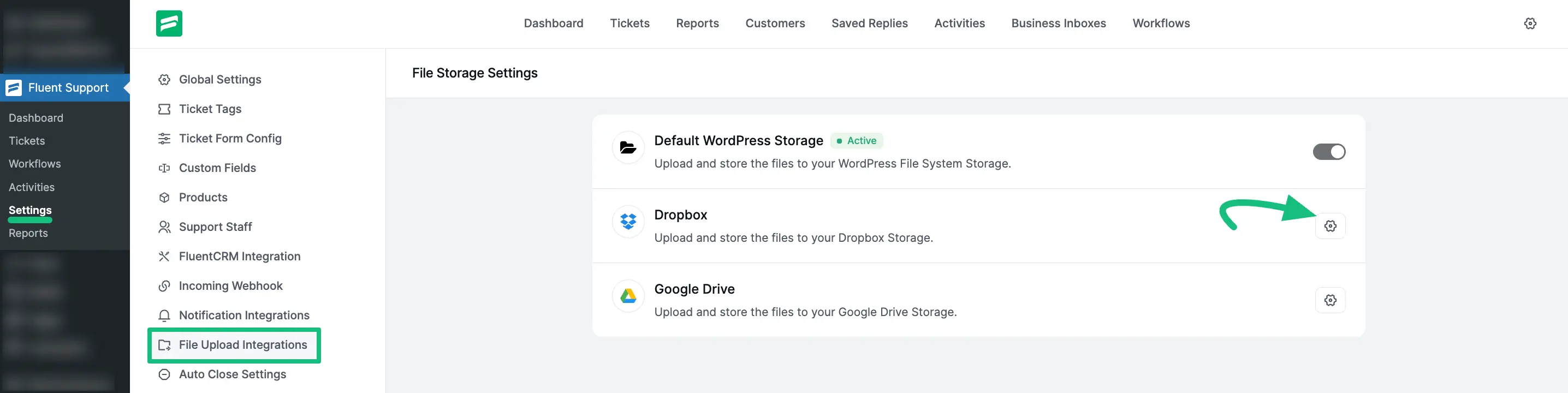
Go to Settings from your Fluent Support Dashboard and click on File Upload Integrations from the left sidebar.
Enable Your File Storage Platform
To enable a third-party storage platform (like Dropbox or Google Drive), click the Settings (Gear Icon) located on the right side of the specific integration you want to set up.
For example, to set up Dropbox, click the gear icon next to the Dropbox option.
Configuration Example: Dropbox
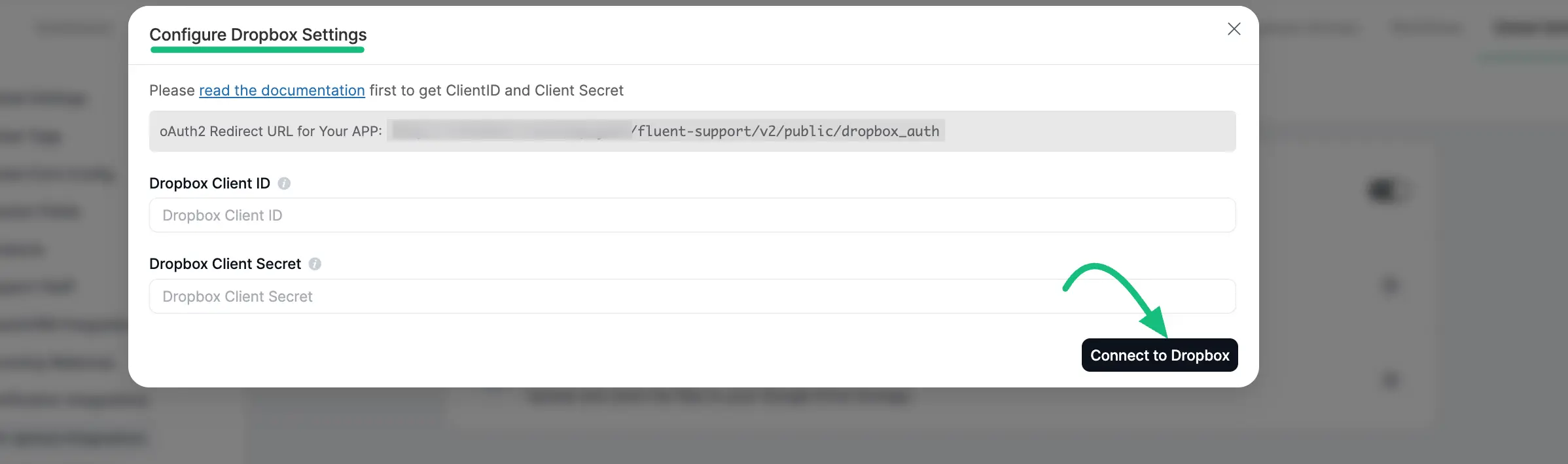
Once you click the settings icon, a pop-up window will appear requiring your credentials to connect the service. For Dropbox, you will need to provide the following:
- oAuth2 Redirect URL: Copy the URL provided in the grey box and add it to your Dropbox App settings.
- Dropbox Client ID: Enter your unique App Key/ID.
- Dropbox Client Secret: Enter your unique App Secret.
Once you have entered the details, click the Connect (or Reconnect) button to authorize the integration.
Detailed Integration Guides
For specific instructions on how to generate the Client IDs and Secrets required for these platforms, please refer to their respective documentation guides below:
- Dropbox Integration: To learn how to generate your keys and integrate Dropbox, read this full Documentation .
- Google Drive Integration: To learn how to set up Google Drive storage for your tickets, read this full Documentation.
Remember: No configuration is necessary if you choose to stick with the Default WordPress Storage platform.
Before uploading the files to Google Drive , you must integrate it with your Fluent Support.
This is how you can integrate File Upload Platforms with Fluent Support!