

Appearance
Ticket Importer
Fluent Support allows you to effortlessly import your entire ticket database from various external platforms directly into your dashboard, eliminating the need for manual transfers. This article will guide you through the process of migrating your tickets.
Accessing the Ticket Importer
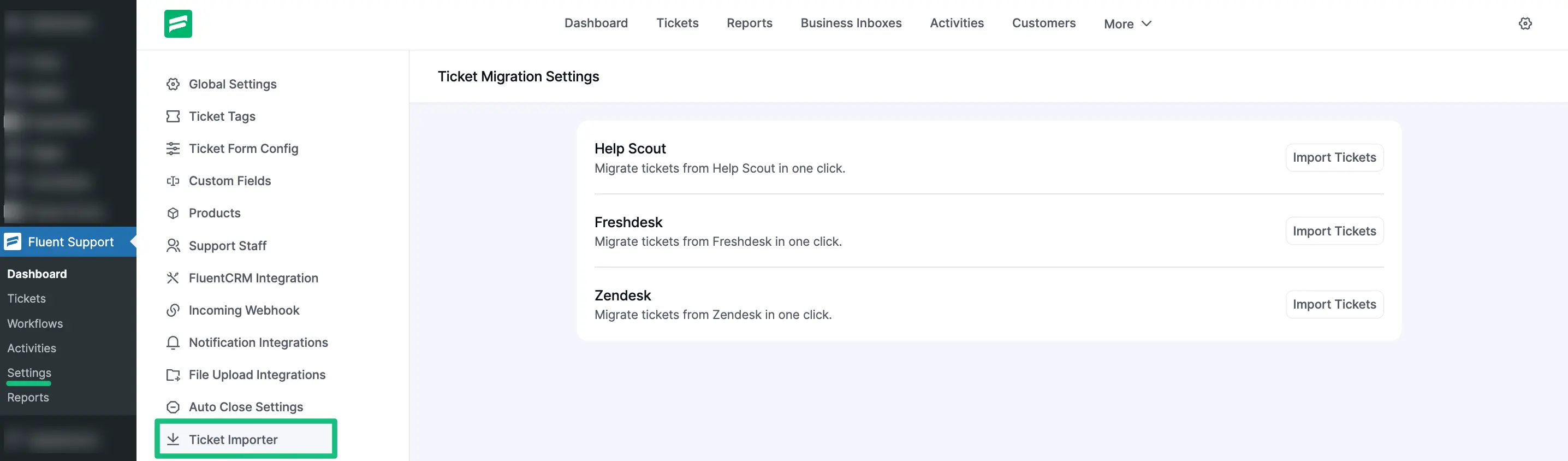
Go to Settings from the Fluent Support Dashboard and click on Ticket Importer from the left sidebar.
Importing Tickets
On the Ticket Migration Settings page, you will see a list of supported platforms from which you can migrate your data. The supported platforms include:
- Help Scout
- Freshdesk
- Zendesk
To begin the process, Identify the platform you wish to migrate from. Click the Import Tickets button located on the right side of that platform's row.
NOTE
For external platforms like Help Scout, Freshdesk, and Zendesk, clicking the button will typically prompt you for API credentials or configuration details to authorize the transfer.
To learn the specific configuration steps for these platforms, please check the detailed guides below:—