Appearance
Personal Reports
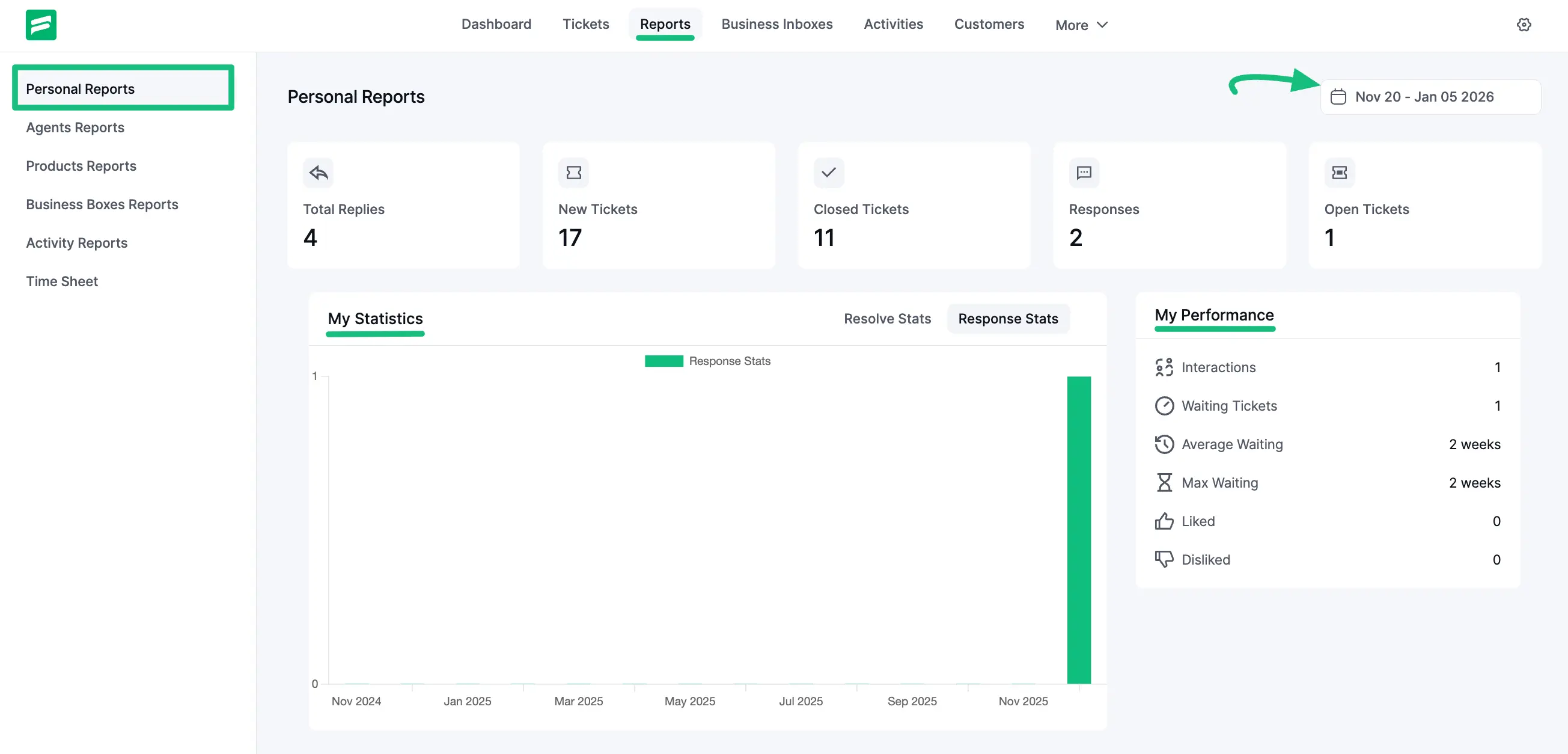
The ‘Personal Reports’ section displays the ticket statistics and performance data specific to you as a logged-in support agent. This report is private to you and helps you track your individual productivity.
Accessing Personal Reports
To view your report, go to the Reports tab in the dashboard menu and select Personal Reports from the left side.
Dashboard Overview
This section is divided into three key areas:
- Quick Stats: At the very top, you get an instant summary of your current workload, including Total Replies, New Tickets, Closed Tickets, Responses, and Open Tickets.
- My Statistics: A large graph visualizes your activity over time. You can toggle between Resolve Stats (how many tickets you closed) and Response Stats (how many replies you sent).
- My Performance: On the right, a dedicated performance box tracks your efficiency metrics, such as:
- Interactions: Total touchpoints with customers.
- Waiting Tickets: Number of tickets currently awaiting your reply.
- Average Waiting: The average time a customer waits for your response.
- Max Waiting: The longest time a customer has waited.
TIP
You can use the Date Filter in the top right corner to view your performance for a specific time range.