

Appearance
WooCommerce Integration
WooCommerce is a customizable, open-source eCommerce platform for WordPress that allows support agents to view the purchase history of any WooCommerce product user and allows customers to open tickets through Fluent Support for issues related to specific WooCommerce products or orders.
This article will guide you through integrating WooCommerce with Fluent Support.
WooCommerce Integration With FluentSupport
To integrate WooCommerce into Fluent Support, follow the guidelines below —
NOTE
You do not need to perform any manual integration steps. The connection happens automatically if the WooCommerce plugin is already installed and active on your WordPress site.
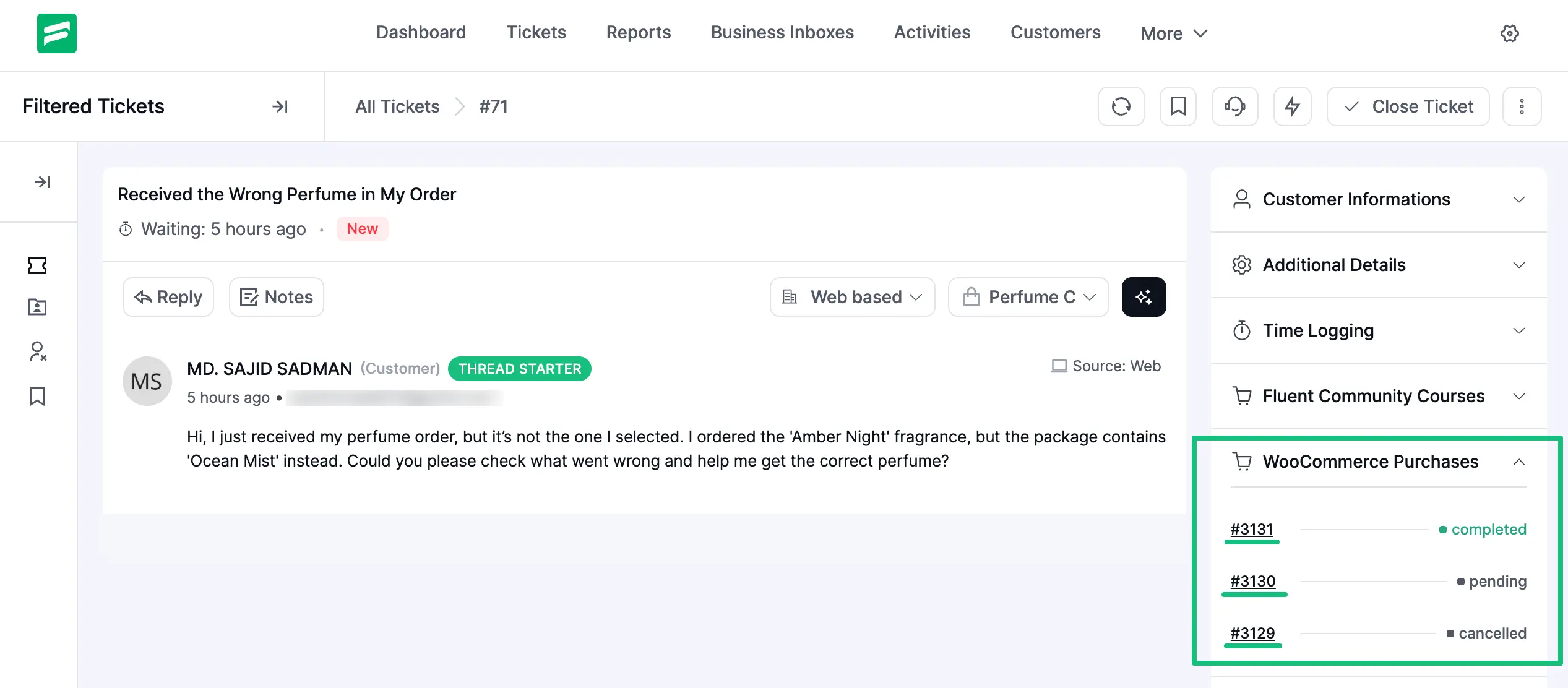
WooCommerce Product Information in your Ticket
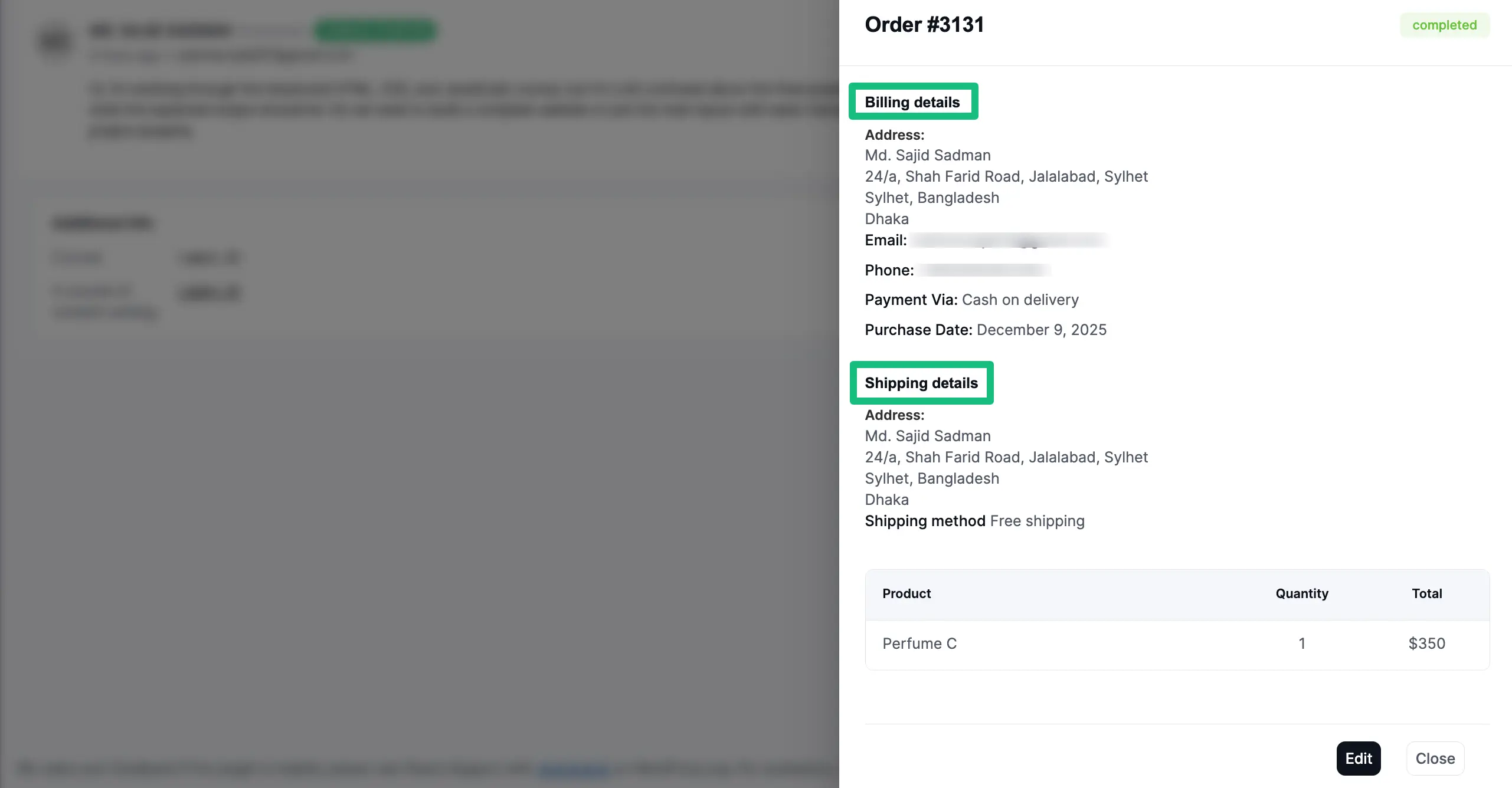
If you click on the Product ID under a specific ticket, a pop-up will appear that includes all the information about the product purchase.
To get the product information in your tickets as shown in the screenshot below, you must Create Custom Fields in your Fluent Support site for WooCommerce.
You will find Billing details, Shipping details, Product details, and Price in this pop-up here.
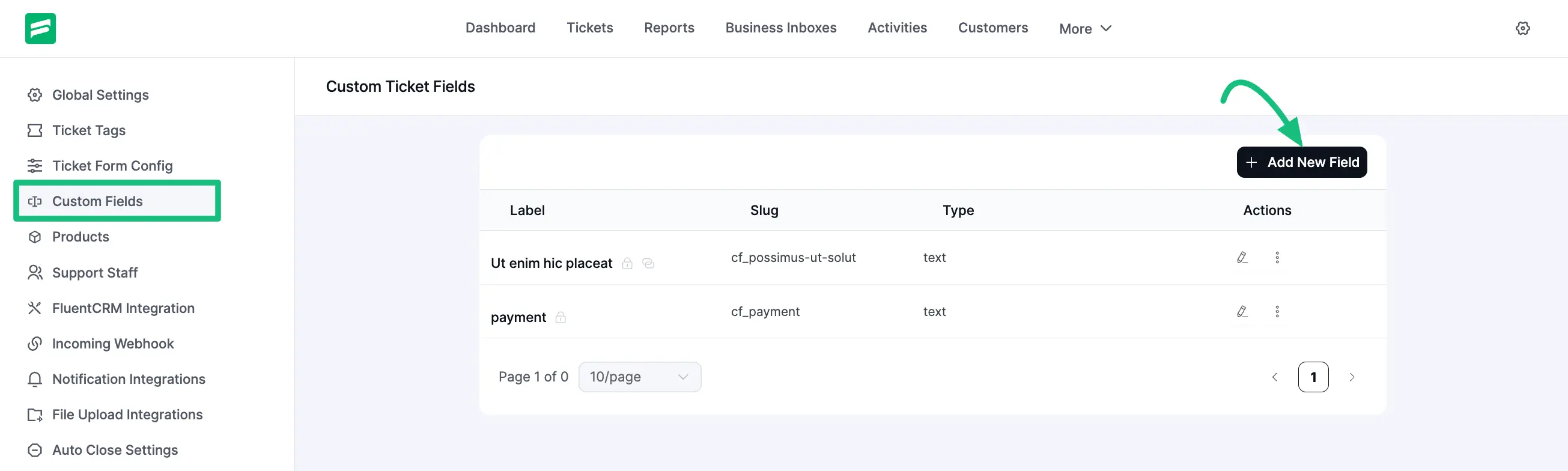
Create Custom Fields for WooCommerce
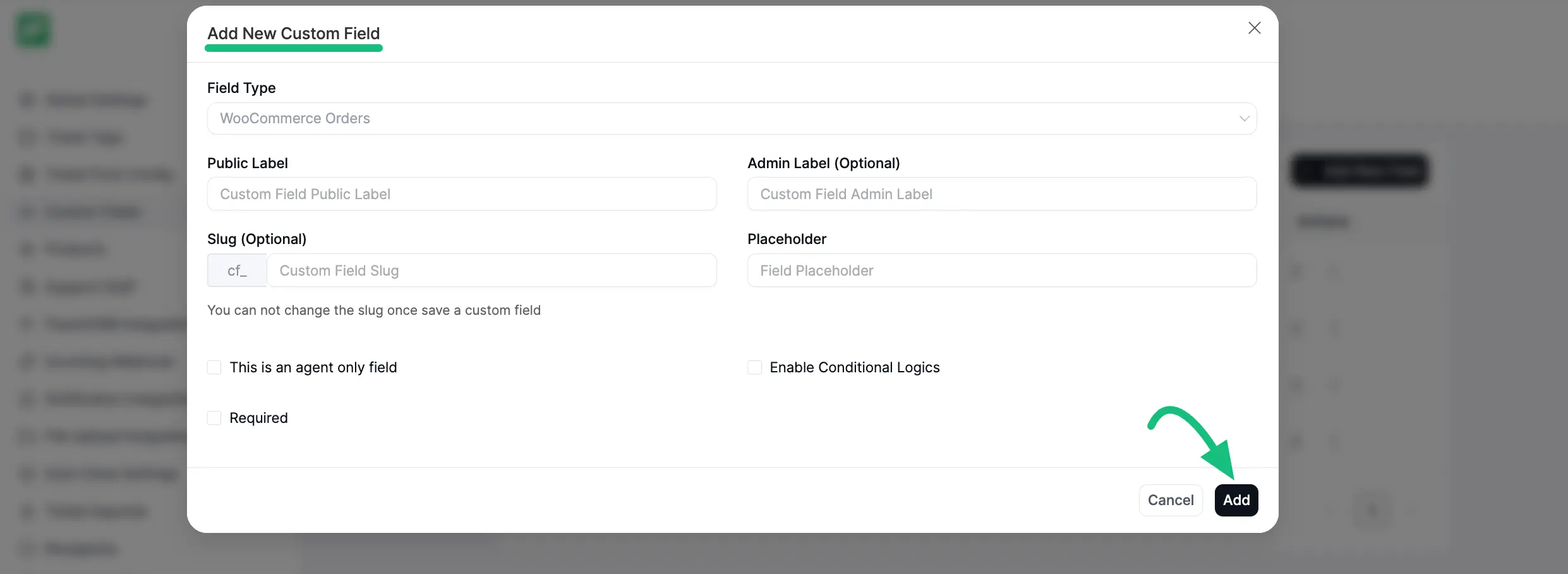
From the Fluent Support Dashboard, go to Settings and select Custom Fields from the left side. Click the + Add New Field button from the top right corner.
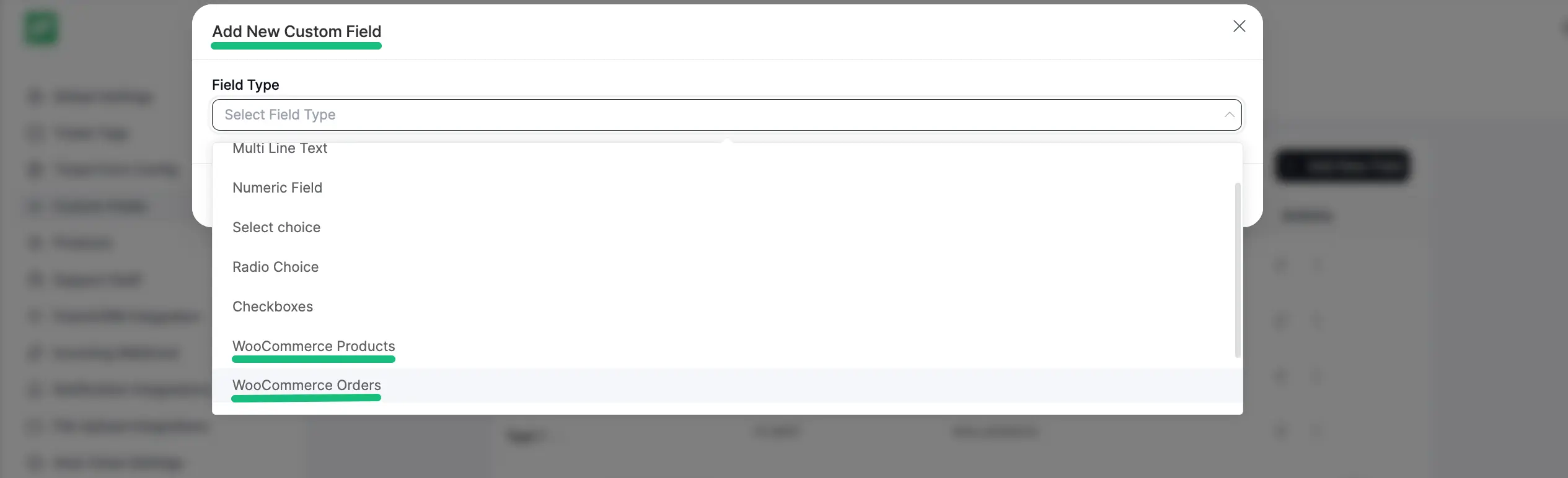
Choose the Field Type from the dropdown menu that suits your needs (WooCommerce Products or WooCommerce Orders) and click the Add button.
Make sure your WordPress site has WooCommerce installed and activated to proceed.
Give your Field Type a name and configure additional fields as necessary. Also, you can enable the Conditional logic if required. To save all the settings, click the Add button.
Your WooCommerce custom field will now be visible on your support portal, as shown below.
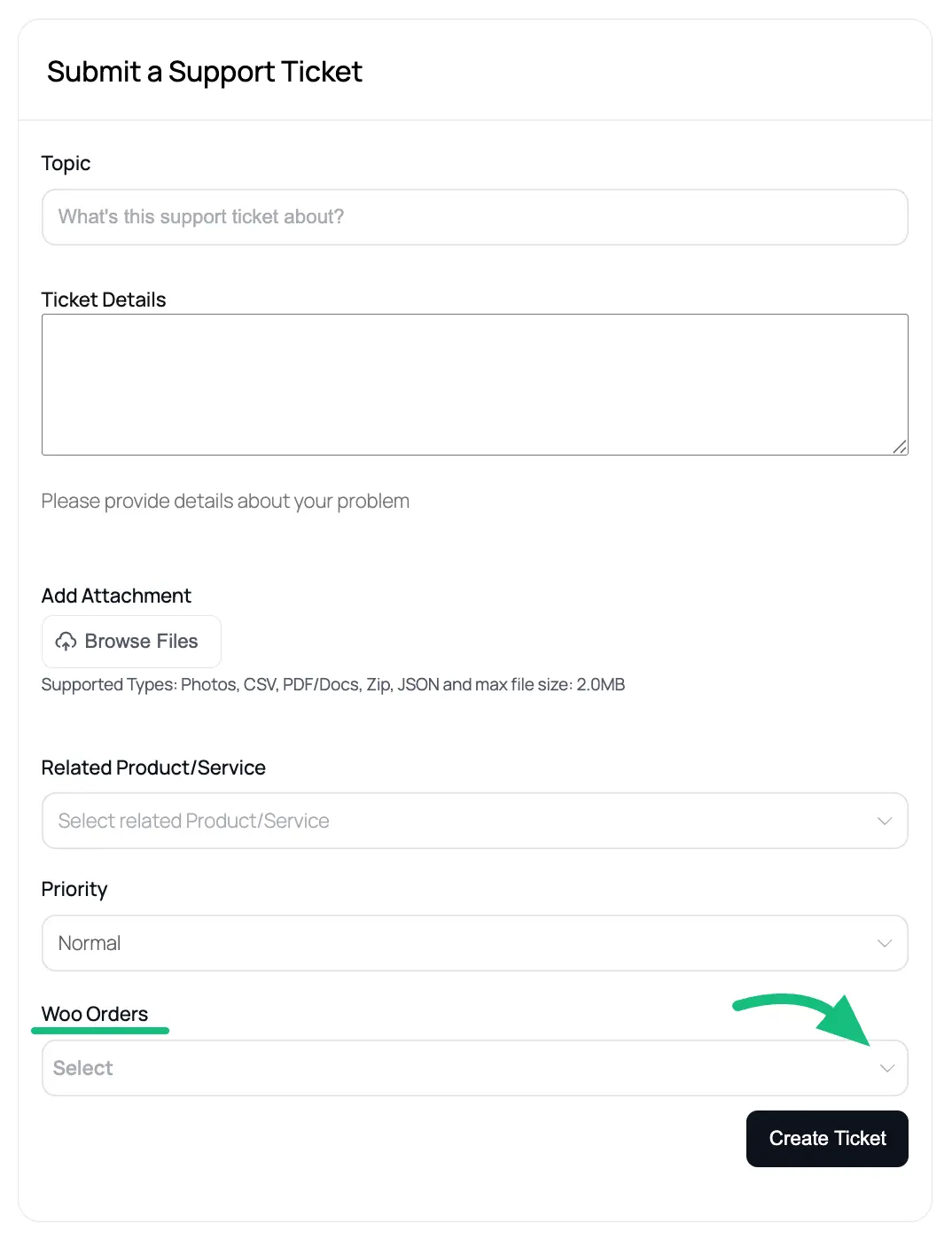
This is how the integration of WooCommerce with Fluent Support works!