Appearance
Business Boxes Reports
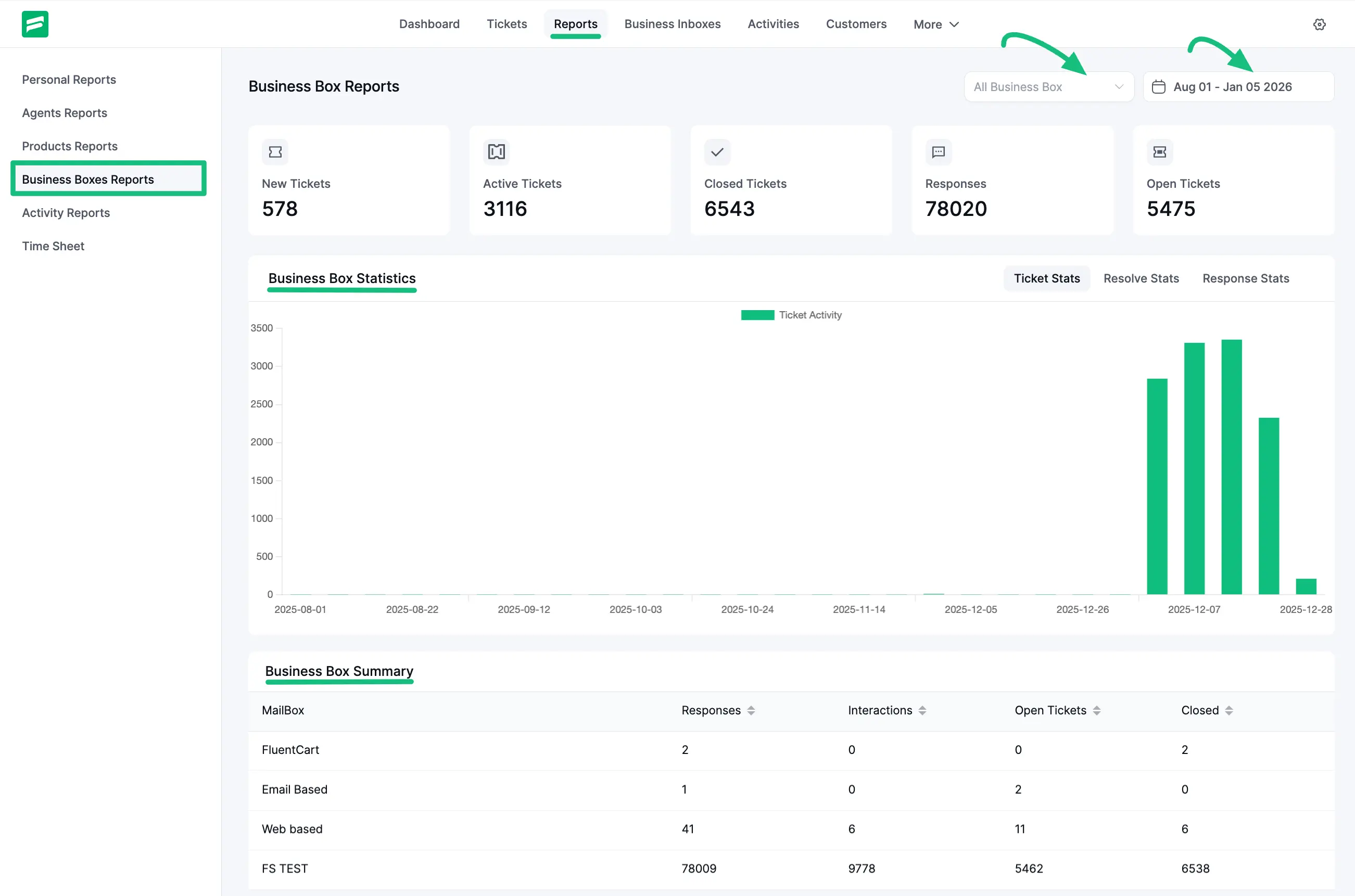
The Business Boxes Reports section analyzes support traffic based on your different input channels (Business Inboxes). This is useful if you manage multiple brands or departments (e.g., Sales vs. Support) from a single dashboard.
Accessing Business Boxes Reports
Navigate to the Reports tab and click on Business Boxes Reports.
Overview
- Quick Stats: Shows the total activity across all selected inboxes.
- Business Box Statistics: A bar chart displaying ticket volume trends over time for your inboxes.
Business Box Summary
The summary table lists each active mailbox (e.g., Email Based, Web-based, FS TEST). It provides a clear breakdown of:
- Responses: How many replies were sent from this inbox?
- Interactions: Total activity count.
- Open Tickets: Number of active tickets in this specific inbox.
- Closed: Total resolved tickets for this inbox.