

Appearance
Zendesk Ticket Migrator
Zendesk is a comprehensive SaaS platform for customer service solutions. Fluent Support allows Zendesk users to easily transfer their existing tickets directly into Fluent Support using an API connection. This article will guide you through the migration process.
Import Tickets From Zendesk
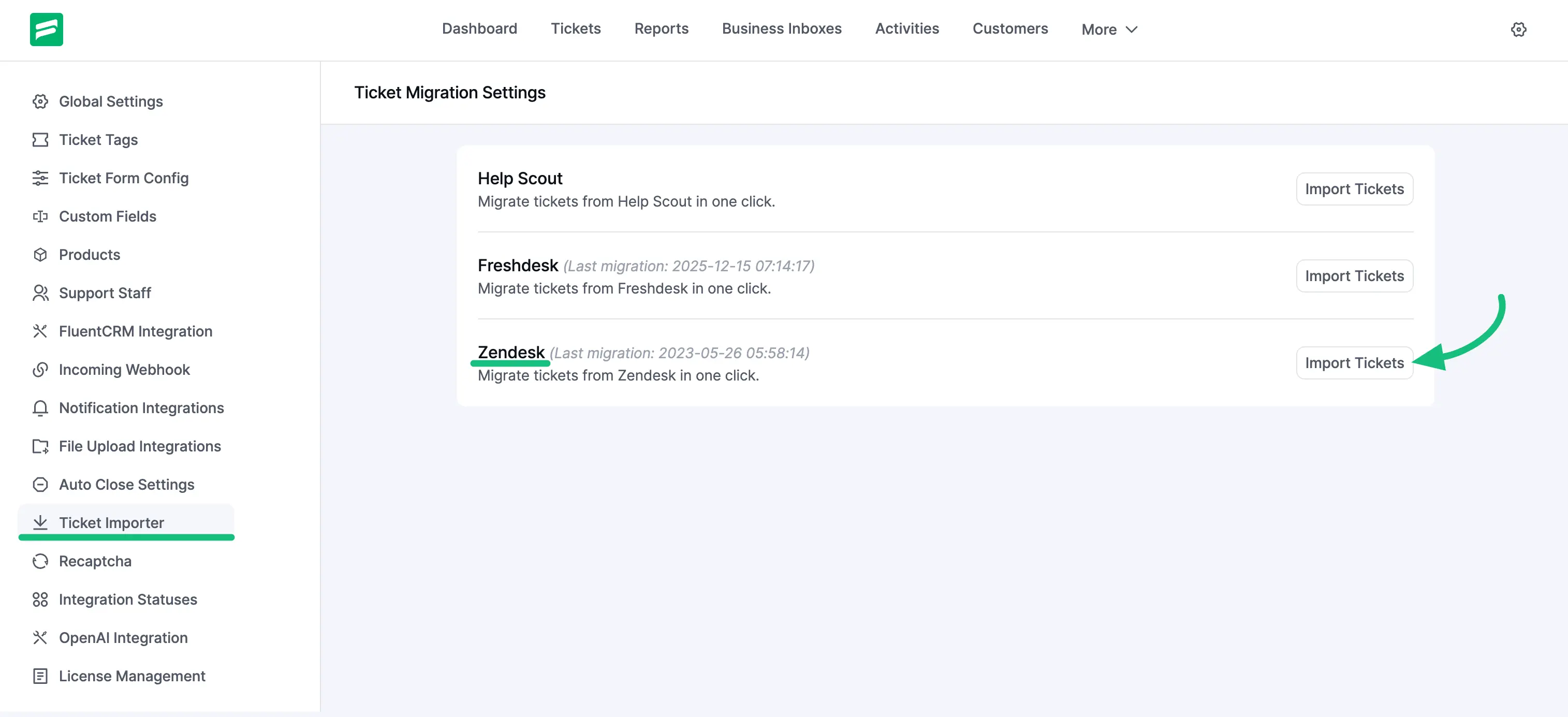
From the Fluent Support Dashboard, go to Settings and select Ticket Importer from the left sidebar. Find Zendesk in the list of migration options and click the Import Tickets button.
Configuring the Import
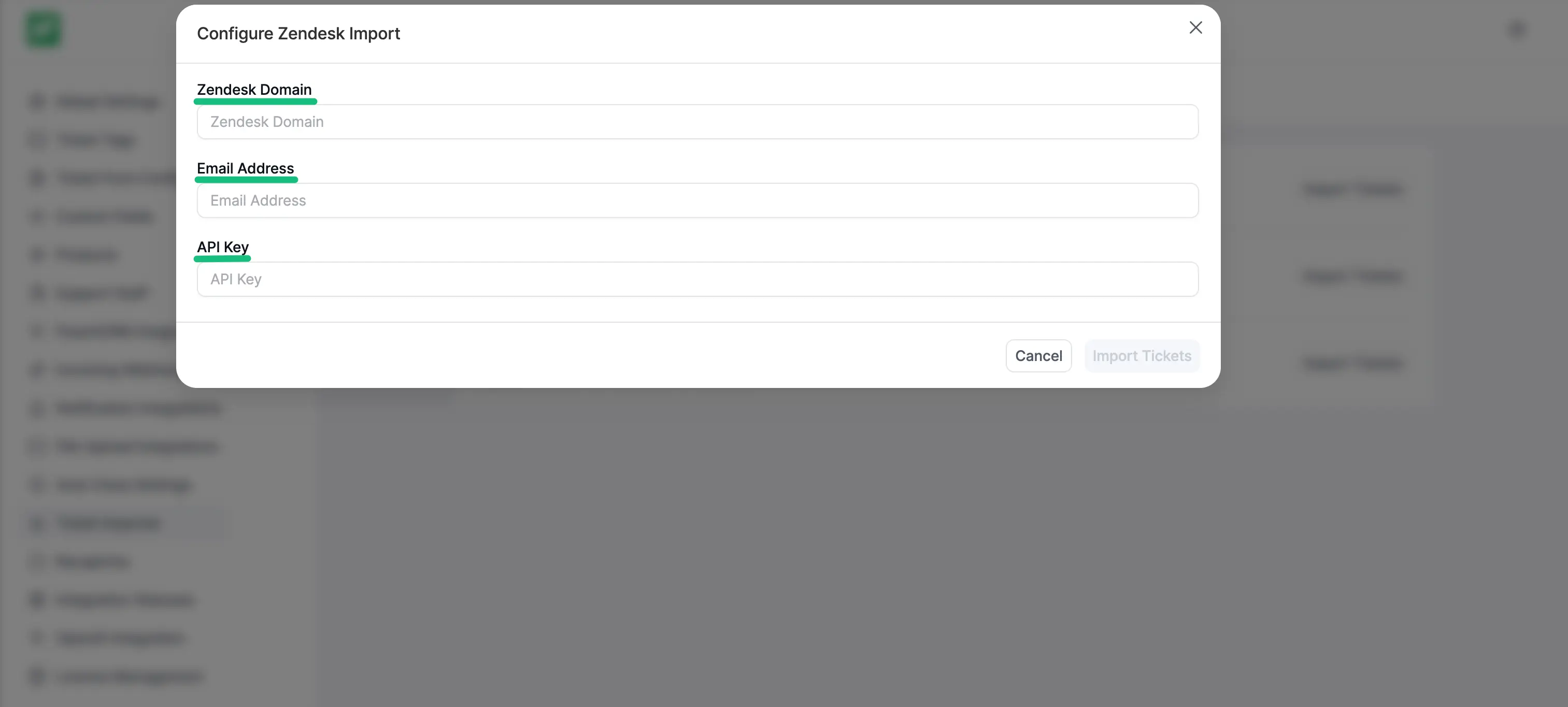
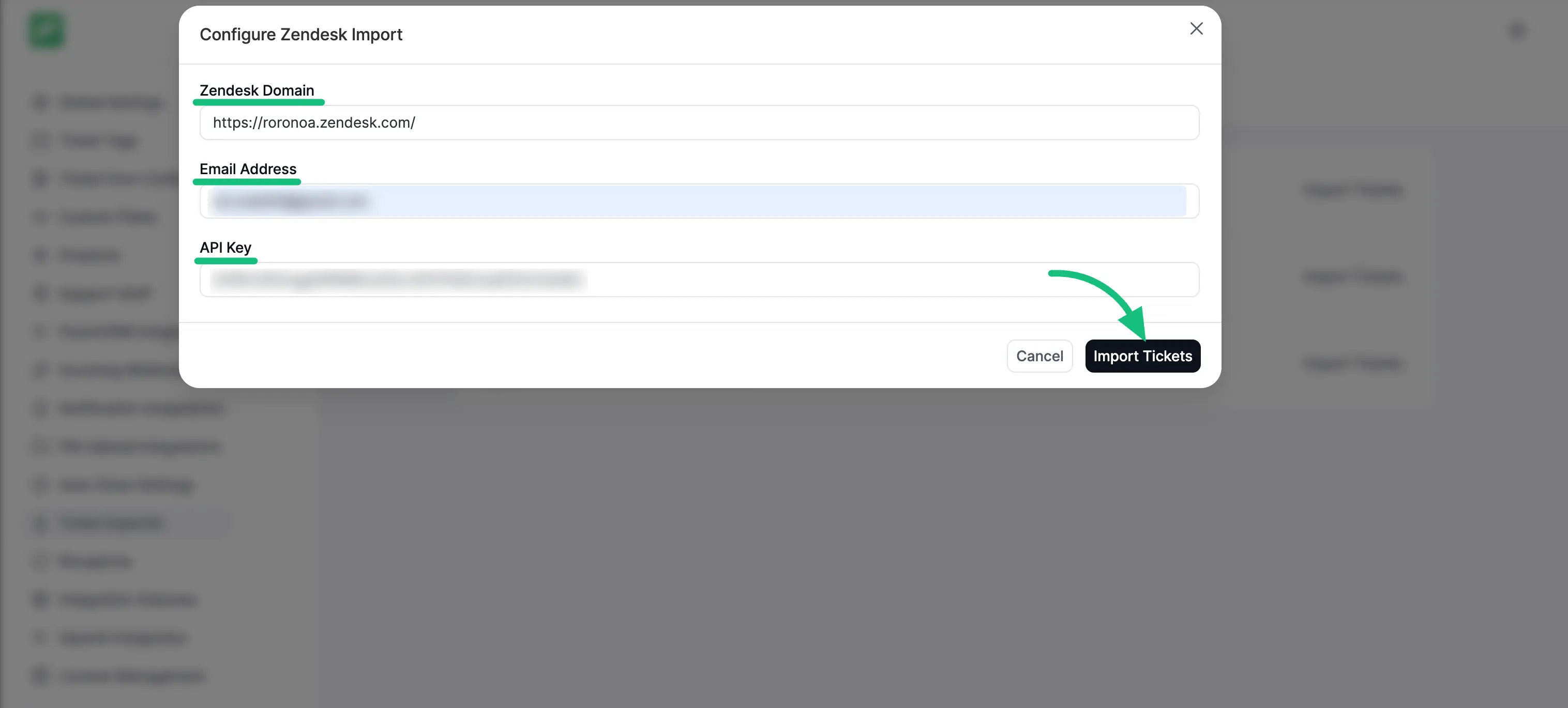
A popup page will appear asking for your Zendesk Domain, Email Address, and API Key. To proceed, you need to retrieve these credentials from your Zendesk account.
Retrieve API Credentials from Zendesk
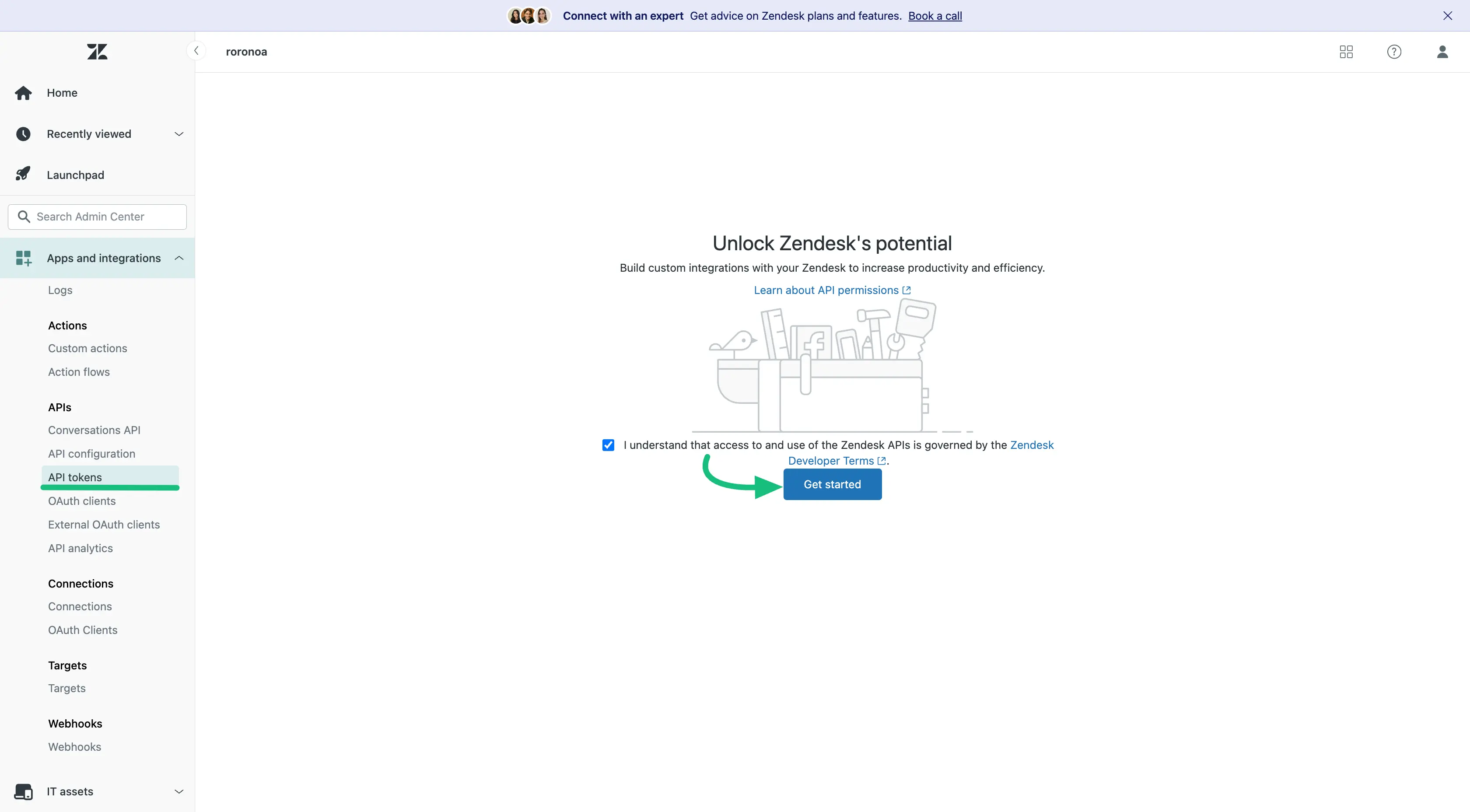
To get the Zendesk Domain and API Key, login to your Zendesk account. Press the API Tokens from the sidebar and click on the Get Started button.
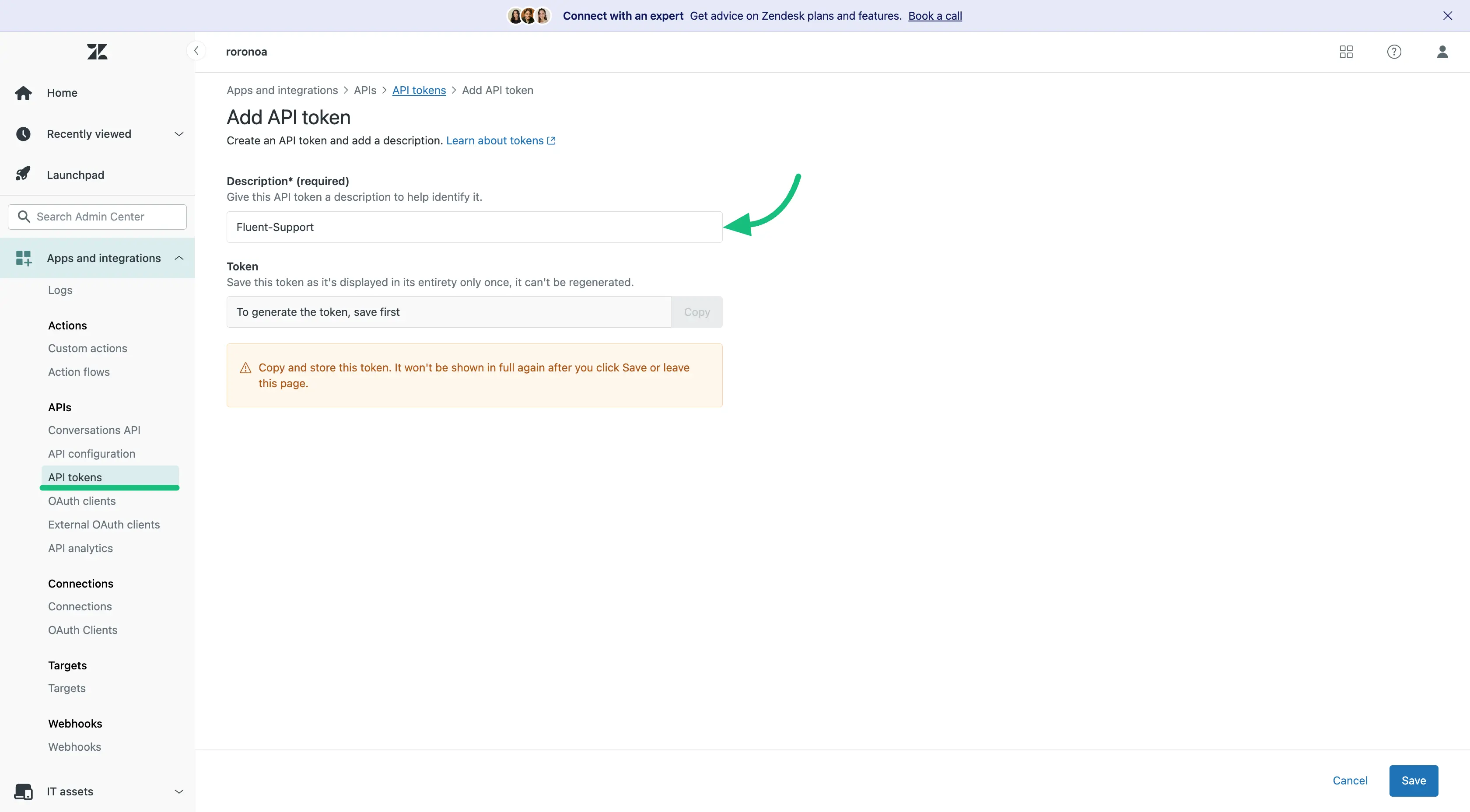
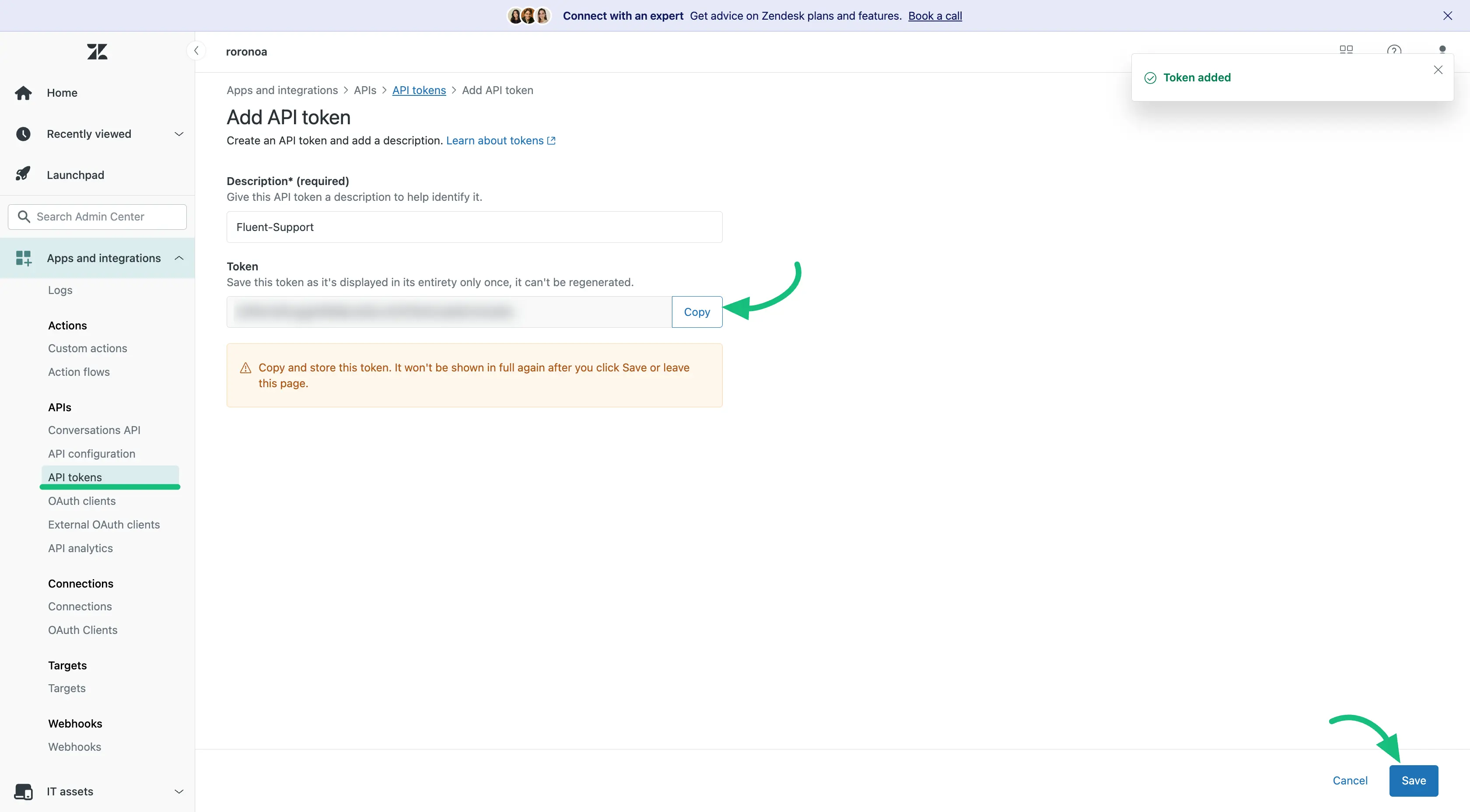
Now here you have to give a Description to your API key and then clcik on the Save button.
On the Zendesk API page now the API token will appear. Simply, copy the API and click on the Save button.
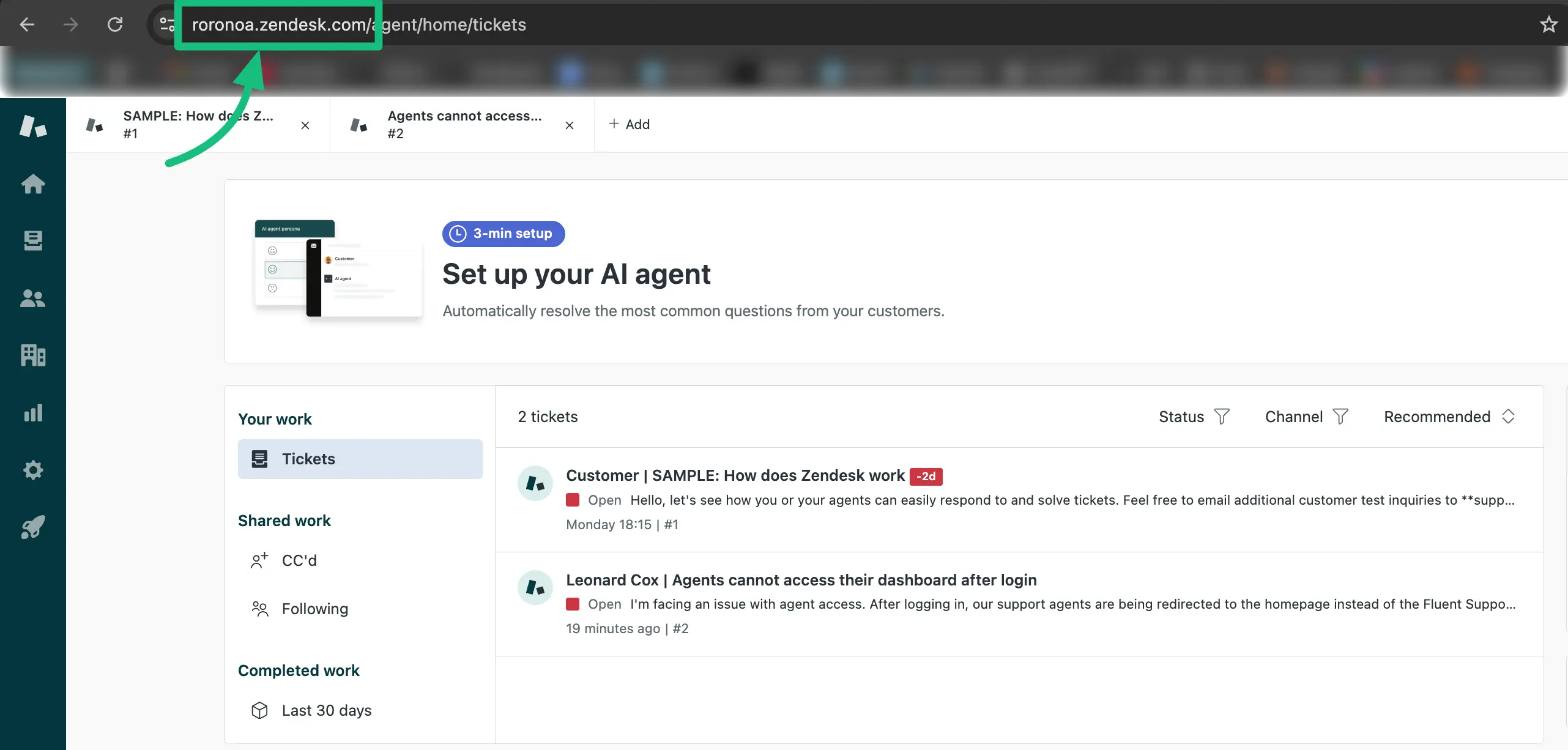
Also, copy Zendesk’s Domain URL from the URL section.
Authorize and Import
Return to the Zendesk popup page from the Fluent Support Dashboard.
Paste the Domain URL, Email (which you used to open your Zendesk account), and API Key (copied from your Zendesk account), into the desired fields. Finally, click on the Import Tickets button.
Congratulations, you are now ready to proceed! The importation of tickets will begin, and a notification will be sent once all your tickets have been successfully imported.
Here, you can see all the Tickets are Imported and the migration date & time are displayed as well.
This is how you can migrate your all tickets from Zendesk to Fluent Support!