

Appearance
Dynamic Dashboard
Fluent Support has an impressive new Dynamic Dashboard for user convenience. With this dynamic feature, customers can effortlessly customize their dashboard by adding or removing information as needed. To get an overview of the Dynamic Dashboard of Fluent Support , read the article accordingly.
An Overview Of Dynamic Dashboard
Right now, the Dynamic dashboard has three functionalities and these are:
- Drag & Drop
- Settings
- Reset
Drag & Drop
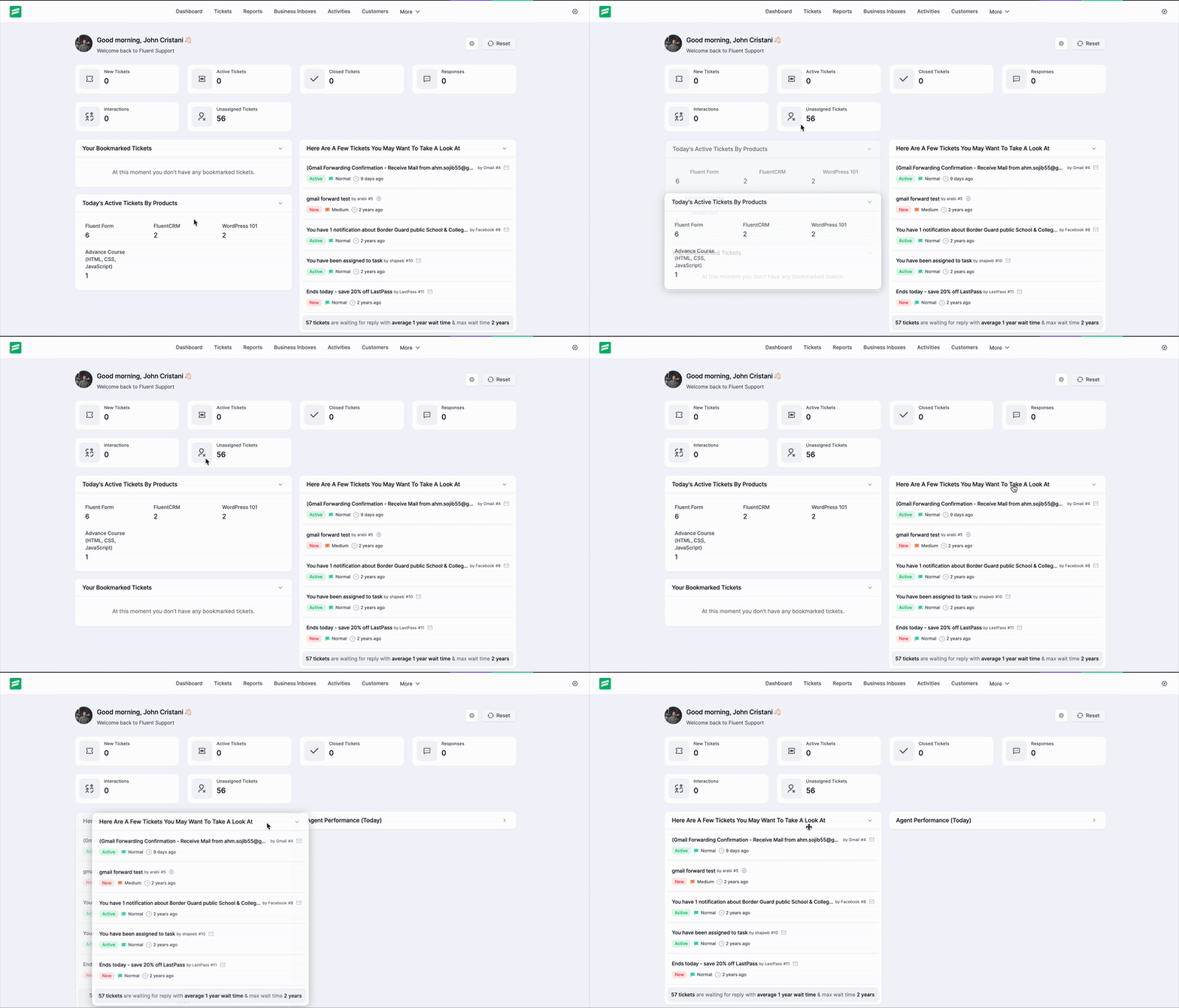
With the Drag & Drop feature, all the widget sections of the General Dashboard can be moved according to your requirements. You can simply click and hold a widget header, then drag it to your desired position within the grid layout.
Settings
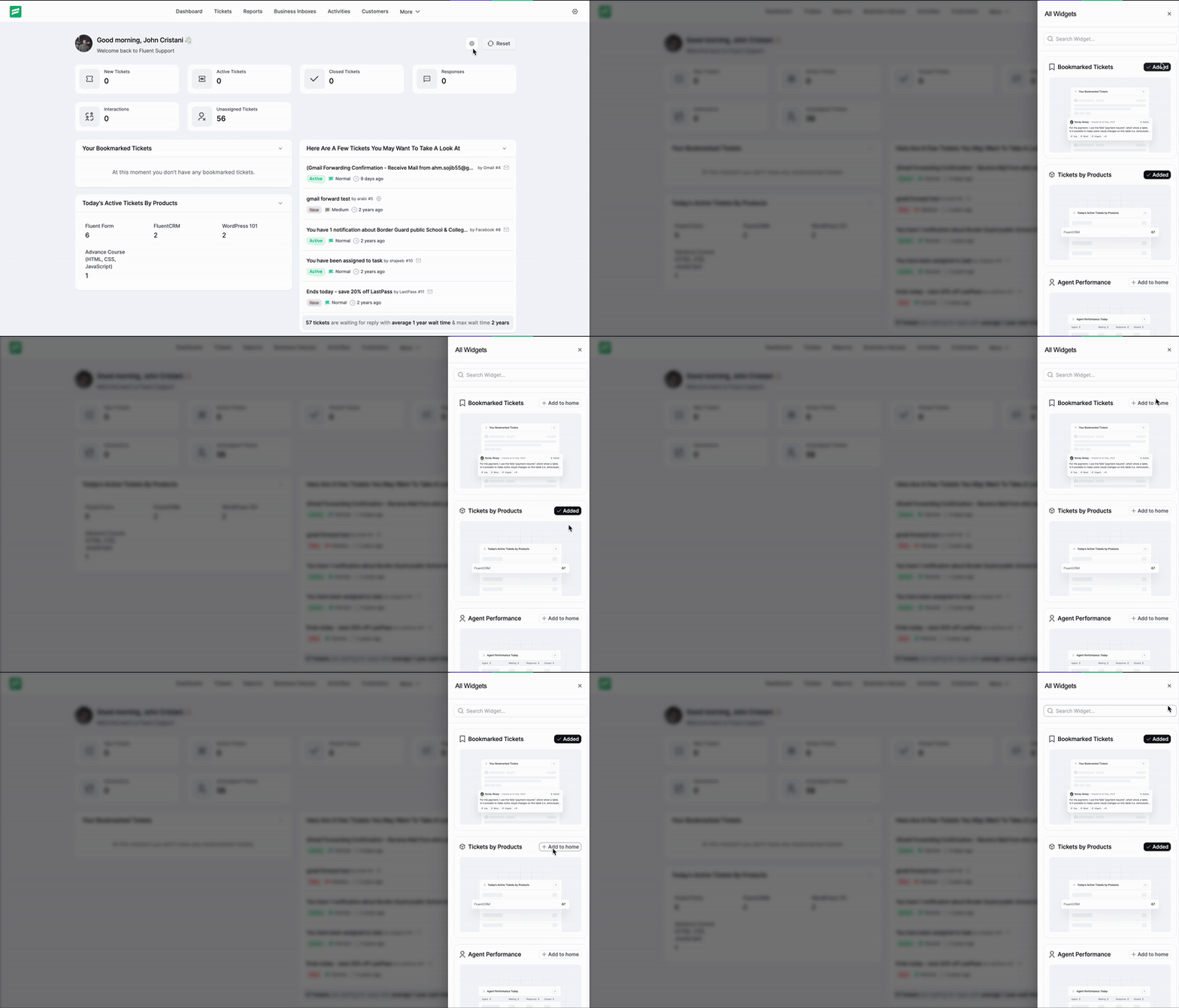
You will find the Settings (Gear) Icon in the top right corner of your Fluent Support Dashboard. This option allows you to customize your dashboard interface via a dedicated sidebar panel.
Specifically, from the All Widgets sidebar, you can:
- Search: Use the search bar to find specific widgets quickly.
- Add Widgets: Click the Add button next to any available widget to display it on your dashboard.
- View Status: See which widgets are currently Added to your view.
Reset
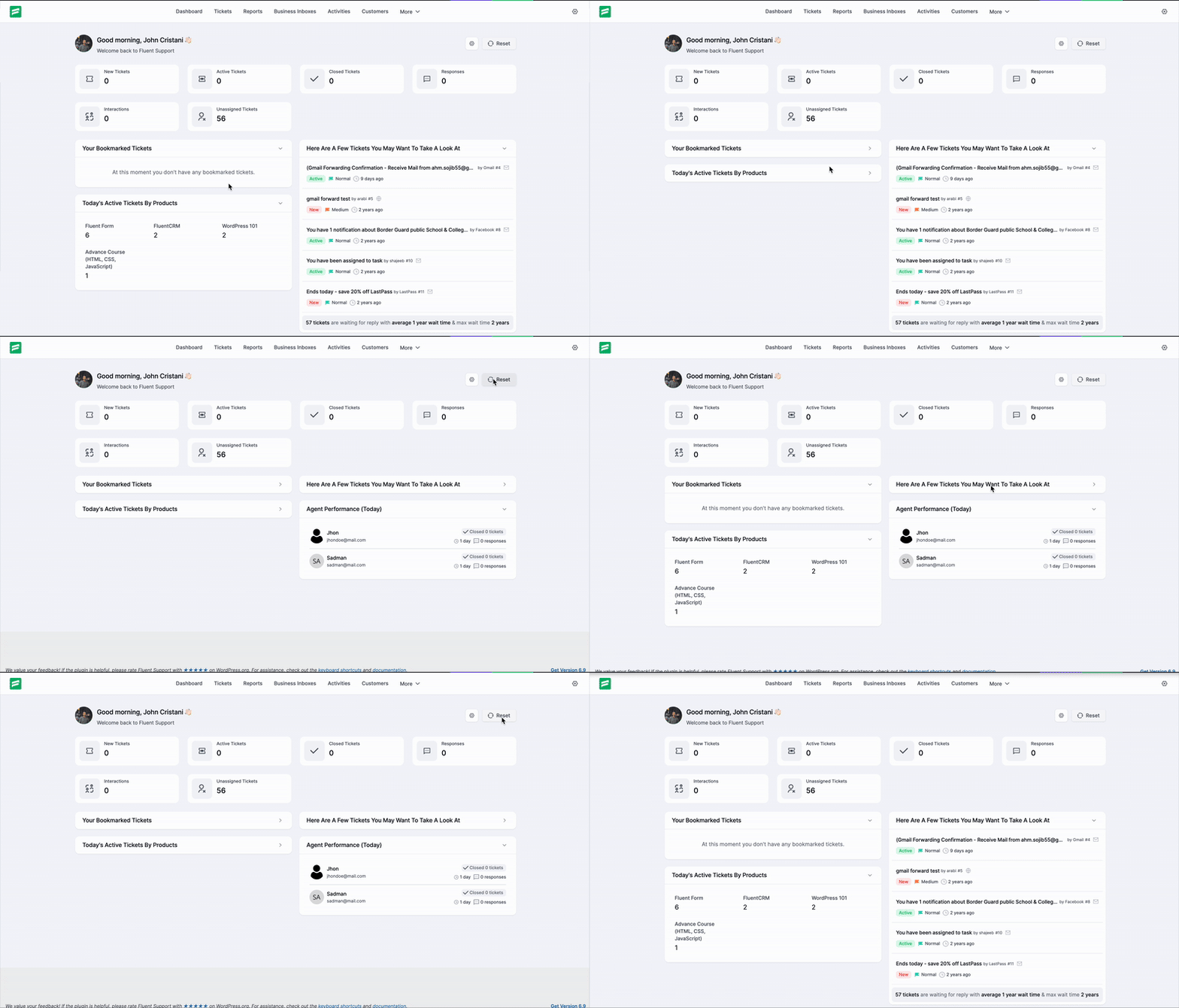
You will also find the Reset button right next to the Settings icon. This allows you to instantly undo all custom changes and revert the dashboard back to its default layout and widget configuration.
This is how simple it is to customize your dashboard dynamically! You can also check out, our Dashboard Overview.